Showing posts with label Windows. Show all posts

Thursday, January 23, 2025

Installing the latest version of SQL Server

 Download the latest version of SQL Server from here.


There are a couple of download options as you can see on this page from the above link.


If you are a developer, the best option is the Developer version which provides:

  • Full featured free edition
  • Licensed for use as a development and test database
  • It is for non-production use

However, most purposes the SQL Server 2022 Express is adequate. It provides:

  • Free edition of SQL Server
  • Good fit for desktop development
  • Best fit for small server applications.

The SQL Server editions may be installed on Windows, Linux and Docker Containers.

In this blog for purposes of demonstration and use, the Developer edition will be installed on a Surface Laptop 5 with the following features.

Windows 11 Pro, Version 23H2, OS build 22631.3593. It has 16GB installed RAM

Downloading the developer edition begins by clicking the Download button in the above screen. In response you download the executable, SQL2022-SSEI-Dev.exe (4191 KB)file. This file gets displayed as shown.


If you want a quick installation use the BASIC option. 

In blog the Custom option will be used. If you want to differ to another time, you may just download the installation files by choosing Download Media.

Read the details of the SQL Server 2022 Installation Center


Sunday, July 25, 2021

Wednesday, July 26, 2017

mssql-scripts is a multi-platform tool to script database objects

In your SSMS on your computer you can use the Generate Scripts drop-down
menu to create scripts for database objects as shown here for Northwind database on SQL Server 2016 SP1.


The above is for SQL Server on Windows Platform. However, mssql-scripts tool provide the same functionality as Generate Scripts wizard on SQL Servers on Linux and macOS. Of course mssql-scripts would work on Windows as well.

Using mssql-scripts based on Python you can generate T-SQL scripts for objects on SQL Servers, Azure SQL database and Azure SQL Data Warehouse. The generated script is saved to a .sql file or on Linux can be piped to standard Unix utilities (sed, awk and grep). The scripts can be checked into source control systems as well.

The source code for mssql-scripter is found here:
https://github.com/Microsoft/sql-xplat-cli

Sunday, July 03, 2016

Connecting IOT to 4G LTE Network, the Verizon way

If you are interested in IOT, perhaps you should check out this URL. Verizon lays down its plan to connect IOT with the its 4G LTE Network. You can even get started with this at the above mentioned URL.

 In order to use the Wireless Network Services API, you need the SDK which you request here.

Verizon M2M Platform is central to this with the Wireless Network Services (WNS). With this you automate provisioing, monitoring and control of wireless MEM Devices.

It also provides user interfaces backed by an SDK. These are the,
Unified Web Servies(UWS) SDK and the M2M Management Center, a web portal for all monitoring activities.

What kind of devices will be supported?

Verizon-certified IOT development kits and sensors. Some are self-contained with everything and some operate with platforms like Windows, Arduino, Raspberry PI and BeagleBone.

In additions to wired connections there are Wi-Fi, cellular and Low Energy BlueTooth are supported.
Here is a link to the showcase that uses Veriaon M2M Platform.

Wednesday, March 30, 2016

This is it, if you are a game developer.

If you are a game developer, I suppose you may not even read this post. Unity is a multi-platform, 2D/3D game development engine and you can learn about it here (unity3d.com).

It is supported on most platforms and a leader in game development. With just one click you can deploy to:
  • Mobile - iOS, Android, Windows and Tizen
  • VR
  • Desktop
  • Web
  • Console and 
  • TV platforms.

Here are the platforms to which you can deploy the games.


Unity_01

If you are developing for the mobile area it has lots of built-in stuff:
  • One-click deployment to Android, iOS, Windows Phone, and Tizen.
  • Tons of optimizations thanks to features like occlusion culling, asset bundling, and build size stripping.
  • World class monetization and retention services for mobile games.
  • Dedicated, easy to use 3D and 2D tools and workflows.
Unity for VR and AR is already garnering from most vendors shown here:

Unity_02

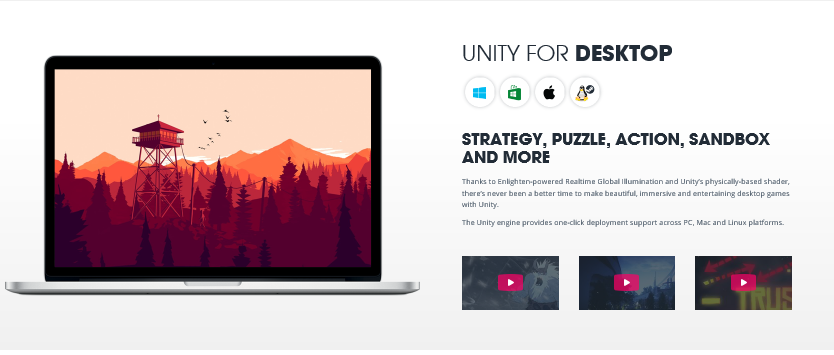
You can develop very immersive and entertaining games for the desktop be it Windows, Mac or Linus/StreamOS

Unity_03

If you have game console such as XBOX, PS4, Wii and 3DS they are covered too:


Unity_04

I have a Samsung TV can I deploy? of course you can. Unity supports these Smart TVs as well:
Android TV
Samsung TV
Apple TV

 
Unity_05

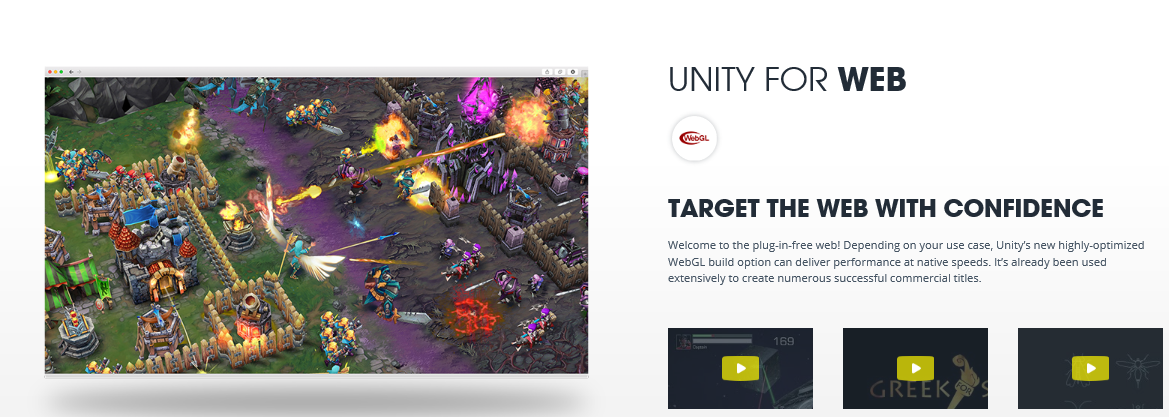
Now what about Web?

Of course you can target the Web and it has already been used commercially.


Unity_06

Hay! What are you waiting for? Download.

Why fret?
Download the free stuff
Just to get your feet wet

Don't huff and huff!

Get the free stuff here:
http://unity3d.com/get-unity


If you like it and if you can work with it, go and get the professional.
If you are going to work with Microsoft's latest, Hololens, also get the Visual Studio 2015 Community. It is already integrated to work with Hololens and you can get your Unity projects into it.

Let us Game!

Source: Pictures and some language copied from Unity web site

Saturday, December 12, 2015

PHP 7 is out, start developing with PHP 7

This is a major version of PHP in years. PHP 7 has numerous improvements and new features with the new version of ZEND engine.

Importantly the code can be downloaded from here.

For Windows there are versions for IIS as well as APACHE. Find more information and downloads here.
http://windows.php.net/download#php-7.0

Note:
The VC11 builds require to have the Visual C++ Redistributable for Visual Studio 2012 x86 or x64 installed
- The VC14 builds require to have the Visual C++ Redistributable for Visual Studio 2015 x86 or x64 installed

See what you get if you ue PHP 7.0:

 . PHP 7 is up to twice as fast as PHP 5.6
•Significantly reduced memory usage
•Abstract Syntax Tree
•Consistent 64-bit support
•Improved Exception hierarchy
•Many fatal errors converted to Exceptions
•Secure random number generator
•Removed old and unsupported SAPIs and extensions
•The null coalescing operator (??)
•Return and Scalar Type Declarations
•Anonymous Classes
•Zero cost asserts

The best open source software for you to develop and prosper. It almost looks like a Christmas Gift!

Thursday, July 23, 2015

Details of installed project templates in Visual Studio 2015 Community

After installing Visual Studio 2015 launch the application to display the start page.


StartPage.png

Click on New Project to open the New Project window as shown.

NewProj_01

It is displaying Visual Basic separately from other languages and the reason for this might be that Visual Basic was used recently, or perhaps this is the default New Project page in VS 2015 Community.

The number and types of Visual Basic templates are as shown here:

NewProj_01_VB

Visual Basic templates are fewer than C# project templates because there are templates for Android and iOS in C#.

NewProj_01_C#

For Android there are application templates for Wearable and WebView.

NewProj_01_Android

For iOS as well, Apple Watch template project is available.

NewProj_01_iOS

However for iOS Mobile applications templates use Xamarin. Forms.


NewProj_01_iOSMobile

Both Type Script and JavaScript project templates requires Tools for Apache Cardova which you can get by choosing the option.

For Python templates you need to install Python tools for Visual Studio and install Tools for F# for F# templates.

In C++ you can install support for both Android as well as iOS. Of course for MFC and Extensibility project templates you can install the requires tools. However for Windows templates -Windows 8.1 and WindowsPhone 8.1 can be installed.

I am not sure how these are going to change after the debut of Windows 10, perhaps a new version or an update. For developing Windows Phone applications you may need to install a different version of Visual Studio.

Xamarin is going to play a key role in cross-platform development using Microsoft Visual Studio and perhaps you may want to read more about Xamarin and its resources here:

Android Apps with Visual Studio
http://hodentek.blogspot.com/2015/03/android-apps-using-visual-studio-part-1.html
C# Universal Coder
http://hodentek.blogspot.com/2014/01/master-c-and-become-universal-coder.html
Cross-Platform Apps
http://hodentek.blogspot.com/2014/07/cross-platform-app-development-part-1.html

Tuesday, March 24, 2015

Microsoft rolls out new Azure App Service


Microsoft ties up three of its offerings (Azure Web Sites, Azure Mobile Services and Azure BizTalk Services) into a new Azure App Service to provide a unified expereince ofor the developers.

This is achieved by the following 4 key components, the last one being the connectivity platform for systems both on-premises and the cloud:
  • Web Apps
  • Mobile Apps
  • Logic Apps
  • API apps
Web Apps (Azure web sites) provides support for .ENET, Java, PHP, Python and other languages through integration with Visual Studio OnLine, GitHub, Bitbucket etc.
Mobile Apps provides backend capabilities for not only native Windows but also for Android and IOs mobile platforms cvia Xamarin and Cordova.
Logic Apps can be created by developers for automation of process execution across various services akin to BizTalk services for enterprise integration.

Read more here and here and here.

Some interesting posts can be found here:
http://hodentekPlus.blogspot.com

Monday, August 18, 2014

Event Stop: IT/Dev Connections at Las Vegas, Sept 15-19, 2014

This a learning event if you have cash(convince your boss!). These are the main sessions that are included:


  • Development
  • Exchange
  • SharePoint
  • SQL Server
  • Windows
There is also a less expensive Online access for the sessions at $295 discounted.

If you are a developer for mobile platform may be this is not for you. There are one or two sessions quite tangential to Mobile platform and none for IoT.

There are a couple of interesting sessions under SQL Server and SharePoint.
You can review them here:
http://www.devconnections.com/dev14/Public/Sessions.aspx?Keyword=SQL
Server#&View=Sessions_summary

There are also number of interesting sessions on Power Shell:

Configuration Manager 2012 R2 and Power Shell--Kaido Jarvemets and Greg Ramey
A Power shell Toolkit to Secure a Post-Snowdone World--Jeffrey Snover
Power Shell Desired State Configuration for Securing Systems-Jeffrey Snover
Using Power Shell to Manage and Monitor Exchange -Siegfried Jagott
Manage SQL Server Efficiently with Power Shell Remoting-Allen White
Automate your ETL Infrastructure with SSIS and Power Shell-Allen White
Basic Custom Tools Using Power Shell -Kaido Jarvemets and Greg Ramey
Power Shell Tricks and Tips for Exchange-Jaap Wesselius and Michel de Rooij
Getting Started with Power Shell 4.0- Jeff Hicks

Monday, February 03, 2014

Cloud-based PC and Mobile Device Management with Windows Intune gets an update

Windows Intune manages PC's and Mobile devices from the cloud and an update is coming soon. The Windows Intune web based admininstration console in the cloud can manage the PC's and mobile devices and includes all of these:

  • Windows,
  • Windows RT,
  • Windows Phone 8,
  • Apple iOS,
  • Mac OS, and
  • Android devices.
In an earlier avatar Windows Intune also needed System Center 2012 R2 Configuration Manager, but according to the following:

http://redmondmag.com/articles/2014/01/29/microsoft-to-roll-out-windows-intune-update-next-week.aspx

Windows intune now is stand alone. Review this quote is from the above site,
"In addition to our unified deployment mode and integration with System Center Configuration Manager, Windows Intune can now stand alone as a cloud-only MDM solution," Anderson wrote in a blog post. "This is a big win for organizations that want a cloud-only management solutions [sic] to manage both their mobile devices and PC's."
"
The main benefits are (taken from this source: http://www.microsoft.com/sam/en/us/intune.aspx),
  • Track hardware and software inventory to efficiently manage your assets, licenses, and compliance.
  • Manage updates. Centrally manage the deployment of the Microsoft updates and service packs that you select to all your devices from the Windows Intune console—freeing up your IT staff from routine management tasks.
  • Protect devices from malware.  Help safeguard your devices from the latest threats with centralized protection built on the award-winning Microsoft Malware Protection Engine and using the same trusted technologies as Microsoft Forefront Endpoint Protection and Microsoft Security Essentials.
  • Proactively monitor devices. Receive alerts on updates and threats so that you can proactively identify and resolve problems with your devices—before they impact users and your business.
  • Provide remote assistance. Resolve device issues, regardless of where you or your users are located, with remote assistance.
  • Set security policies. Centrally manage update, firewall, and malware protection settings across all of your devices, even on remote machines outside the corporate
Click  on the video to get a feeling for what all Windows Intune can do,


DMCA.com Protection Status