Showing posts with label Windows Azure. Show all posts

Tuesday, April 14, 2015

Open Source Mobile Backend - The Dream Factory

The Dream Factory provides RESTful services for your applications. Given a datasource, any datasource The Dream Factory generates a comprehensive, secure RESTApi which will be your backend that you can use to build frontend applications. It provides for scripting and customization. You have support for all of this:

  • Client SDK
  • Single sign-on
  • jQuery
  • Angular JS
  • Sencha
  • iOS
  • Android
  • Windows Phone
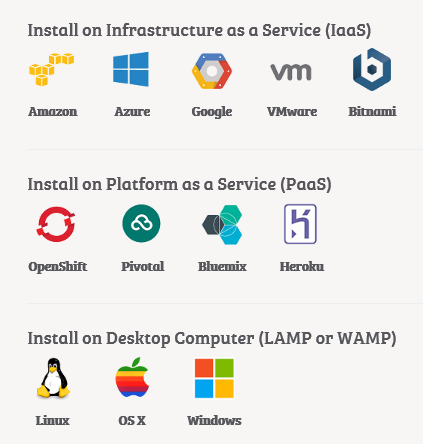
You can install on any server including your humble desktop. If you can afford you can install on any of the following:


TheDreamFactory
Why wait? Test Drive today starting from here:

Friday, July 25, 2014

Using the Azure RemoteApp Service - Part 2

I have a Windows 8.1 Professional computer but I have not installed any Office application such as Word, Excel etc. By using the Azure RemoteApp I can access these Windows programs on the Azure servers and do everything I want to do with them.

Read my previous post about creating a Azure RemoteApp Service here:
http://hodentek.blogspot.com/2014/07/creating-azure-remoteapp-service-now-in.html

The Program works in a Client / Server mode (ah!). You have a client sitting on your computer and it sends requests to your Azure RemoteApp Service in the Cloud. After establishing a connection you can work with any of the published programs on the Azure Cloud. In the Preview there are 6 or 7 programs that you will see in the rest of the post.

I test drove to see how it works and here are some screen shots and notes. It worked as it should but when I saved the files I edited/created to either OneDrive or my computer they did not get saved. Oops!

I am sure they are on the server, because I could connect to server and open them. It is just they are not saved. There should be some explanation somewhere(!).

Here is how I went about editing a document on my OneDrive using the Word 2013 on my Azure RemoteApp Service.

Click on Microsoft RemoteApp client in your Metro page. The invitations page is displayed.


The client user interface opens as shown and the Microsoft RemoteApp
login page opens.


Enter the login information (Windows Live account)
Now all the applications get displayed in the user interface of client.


Let us open a word document. Click on Word icon in the client.
The client connects to the Azure RemoteApp as shown.


A little later you will see the Word Application opening and displaying as shown.You get a Sign in page as shown, a modal window on top of a Word document.

I did not sign in and took the other option.


Then you get the OneDrive page as shown.


Click Next.

Then you get a 'Good to Go' page.

Click on All done!.
The Word document opens as shown with a number of templates.


Let us try out to open an existing document.
Click on Open Other Documents on the left.
The Word document window changes to the following;


Click on OneDrive. The OneDrive wizard page is displayed as shown.
Sign in to OneDrive by providing username and password (Windows Live
account)[You get two separate pages for username and password]. This is an annoying feature requiring you to sign in multiple times, although the computer is working with Administrator login which happens to be Windows Live account the same used for creating the Azure RemoteApp Service as well as access to OneDrive.

Once you are authenticated you get a display of stuff on OneDrive as
shown.


Clicking on the 'The Author and the Book.docx', the document gets displayed.
Click on File, the 'Info' page opens where you have several navigation
items(links) that you find in most Word documents.


Now if you open your Azure RemoteApp (herein hodenremote, review the first link in this post), the hodenremote service page opens displaying the current session.

When I sign out of the client, the Dashboard still displays one session but the Sessions tab shows that the Session State is disconnected.

In 'hodenremote' you can access the Dashboard as shown.


In the 'hodenremote' you can create/modify user access (Users/Groups).


The RemoteApp Apps published to hodenremote are listed out here


The Sessions page is shown here.


For an in depth understanding read this blog here:
http://blogs.msdn.com/b/rds/archive/2014/05/12/windows-apps-in-the-cloud-introducing-microsoft-azure-remoteapp.aspx

The portal allows you to disconnect named users/ all users from the Dashboard as shown.


I edited a document and created a new one. After editing/creating I saved it to my OneDrive which the Azure RemoteApp Service displays as being saved but I did not find them on my OneDrive or on my computer when it was saved to computer.


Have fun!
 

Friday, June 06, 2014

Azure Datacenters two in Asia & now one in South America (in GA)

Do not forget to get free books on Microsoft Windows Azure.

Azure Datacenter is now generally available in Brazil. A promotional pricing is offered right now. Geo replication to South US datacenter from Brazil dictates default storage option being Geographically Redundant Storage.

Brazil Datacenter debuts after two other data centers in Asia:
http://windowsitpro.com/azure/microsoft-opens-azure-datacenter-brazil-south-region

Japan GEO
 http://azure.microsoft.com/ja-jp/community/japan-datacenter-geo/


China operated by 21Vianet
 http://www.datacenterdynamics.com/focus/archive/2014/03/microsoft-launches-mainland-china-azure-cloud-data-center

 This is what you should do to get your free book. Note only the first three persons (from Brazil, Japan and China) to respond will get the book.
Follow this link for book details:
http://hodentekmsss.blogspot.com/2014/06/three-more-microsoft-azure-datacenters.html

Thursday, April 17, 2014

Deixe-nos trabalhar com serviços de nuvem Azure -Azure in Brazil


Microsoft has announced Azure service from Brazil through its Azure South region located in Sao Paulo. It is now available for public preview. With Locally Redundant Storage data can remain in Brazil.

Nature of Locally redundant replication:
With locally redundant replication, storage account data is replicated three times within the same data center. Locally redundant replication is offered at discounted rates.

Note that changing from Locally redundant replication to geo-replication will incur additional costs.

More on Locally Redundant Replication here.
http://azure.microsoft.com/en-us/documentation/articles/storage-manage-storage-account/

According to Microsoft,
"The Azure website has been updated to provide detailed information on service availability and pricing for the new region. Azure Virtual Machines, Cloud Services, Storage, SQL Database, Web Sites, and Data Transfers hosted from Brazil South will be offered at a discount during the preview period. "

Brazil joins other countries in hosting the center

Saturday, March 15, 2014

Windows Azure/Oracle Colloboration is done deal

It is now official that the collaboration deal is in place according to a general availability. Details here:
Announcing General Availability of Oracle Software on Windows Azure and Updates to Windows Azure Traffic Manager

Open and flexible platforms are in vogue and that was adopted as a rule by Windows Azure. Partenership with Oracle reaches a new height with this collaboration and what this means is the following Oracle products are now generally available as viratual images and more with license thrown in.

On Windows Server 2008 R2
Oracle database 11g R2 -Standard and Enterprise
Oracle Weblogic Server 11g R2 -Standard and enterprise
Oracle database 11g R2 and Oracle Weblogic Server 11g R2 Standard
Oracle Weblogic Server 11g Standard

On Windows Server 2012
JDK6
Oracle database 12c and Weblogic Server 12c Standard
Oracle database 12c Standard
Oracle Weblogic Server 12c Standard
Oracle database 12c and Weblogic Server 12c Enterprise
Oracle database 12c Enterprise
Oracle Weblogic Server 12c Enterprise

You can get to them via the Windows Azure Image gallery.
It is very easy to access these images to create your virtual server application.
Login to portal
Click the portal icon and open this window


Click on From Gallery and then Select Oracle on the list on the left to display the following:


Well you can try it or buy it from Windows Azure as shown:


Good luck with your implementations!!


 Vis-a-vis the collboration Oracle supports all these for databse and java developers.

Tuesday, February 25, 2014

Windows Azure Managment Improvements in the wings

In a recent blog post Scott Guthrie outlined Windows Azure Management
improvements to come. Some of them are still in 'preview' stage.
However, if you are a Windows Azure subscriber you can check them out.

Here is a listing of the improvements in preview with a brief summary:

ExpressRoute Preview
ExpresRoute provides an option for virtual Sites to connect which is
private and dedicated between a private network and a Microsoft Data
Center. This according to Scott, provides a 'guaranteed [sic] network
quality-of-service and the ability to use Azure as a natural extension
of an existing private network or datacenter'

Web Sites Backup and Restore Preview:
Get a snapshot of app services for backup. Backup can be manual or
scheduled. The snapshots includes all data related elements (MySQL,
SQL) and is free for those who have a subscribed to a 'Standard-tier'
plan.

Service Outage Notifications:
This is customized for each service and includes service interruptions,
performance degradatons and other related notifications.

VM Agent
A new VM agent to help manage VM Extensions (for example the recently
added extension BG Info) and gets created when a VM is created using
'quick create' option.

Single Sign-On Support for SaaS Apps:
Windows Azure Active Directory(AD) now supports 600 SaaS apps for integrated
single sign-on rolled out in October of last year.

WAAD Premium Preview Reporting:
Well this is premium and has more features than the free Windows Azure
Active Directory(WAAD). If you are worried about security this may be
the one feature you care about. The 'reports' tab reports on suspicious
logons; 'irregular sing-in activity', etc.

BizTalk Services Updates:
Quoted from the blog, "BizTalk Services now supports the EDIFACT protocol and it can pull
messages from service bus queues without writing to another service. "

Hadoop 2.2 Preview:
HD Insight services now supports Hadoop 2.2 at preivew time. Hadoop 2.2
is expected to support faster queries response time; improved data compression, support for YARN, described as an OS for Hadoop 2.0.

Review Scott's blog to read more about all these features here:
http://weblogs.asp.net/scottgu/archive/2014/02/20/azure-expressroute-dedicated-networking-web-site-backup-restore-mobile-services-net-support-hadoop-2-2-and-more.aspx

and this;

http://rcpmag.com/articles/2014/02/24/windows-azure-management-improvements.aspx

Saturday, January 18, 2014

Some great features in the January 2014 Windows Azure update

Access Scott's Weblog to learn details of the latest Windows Azure update on
January 16.

Here is an abbreviated version for your speedy review.

The following are the enhancements that you can see is update:

  • Web Sites: Staged Publishing Support and Always On Support
  • Monitoring Improvements: Web Sites + SQL Database Alerts
  • Hyper-V Recovery Manager: General Availability Release
  • Mobile Services: Support for SenchaTouch
  • PCI Compliance: Windows Azure Now Validated for PCI DSS Compliance
These take effect immediately (either the relese or in the preview item).

Web Sites: Staged Publishing Support:
Staged site publishing can be enabled. The staged site URL is different from that
of main site. This is very helpful in site/app development before going to
production and deployment from staging to production can be instantaneous for
content as well as configuration.

Web Sites: Always On Support
Now 'AlwaysOn' has come to the Web Sites as well. With this enabled you can see
if anything needs attention as the site is pinged periodically to verify that
the site is running smoothly.

Monitoring Improvements: Web Sites + SQL Database Alerts
There is nothing like enough monitoring, the more you can monitor the better you are
prepared to handle problems. The two new improvements introduced with this
update are:
  • Metrics updated every minute for Windows Azure Web Sites
  • Alerting for more metrics from Windows Azure Websites and Windows Azure SQL Databases
Now you can create alerts to 6 different services:
  • Cloud Service
  • Mobile Service
  • SQL Database (New Today!)
  • Storage
  • Virtual Machine
  • Web Site (More Metrics Today!)
Windows Azure Hyper-V Recovery Manager: General Availability Release

This release to production is ready including enterprise SLA.

Mobile Services: Support for SenchaTouch

You need to add an extension from SenchaTouch. SenchaTouch is a well know HTML/JavaScript-based development framework for building cross-platform mobile apps and web sites. With today’s addition, you can easily use Mobile Services with your SenchaTouch app.

Windows Azure Now Validated for PCI DSS Compliance

Windows Azure is now validated for compliance with the Payment Card Industry (PCI) Data Security Standards (DSS) by an independent Qualified Security Assessor (QSA):Neohapsis.

All Microsoft Datacenters appears to be covered from looking at the http://go.microsoft.com/fwlink/?LinkId=389875. Here is a screen shot of what is covered:
image.

 
Have a good week end!


Wednesday, October 02, 2013

Bunch of new updates to Windows Azure

Here is a summary from Scott Gu's article found here regarding the most recent updates:

  • Compute: New 2-CPU Core 14 GB RAM instance option
  • Virtual Machines: Support for Oracle Software Images, Management Operations on Stopped VMs
  • Active Directory: Richer Directory Management and General Availability of Multi-Factor Authentication Support
  • Spending Limit: Reset your Spending Limit, Virtual Machines are no longer deleted if it is hit
  • Storage: New Storage Client Library 2.1 Released
  • Web Sites: IP and Domain Restriction Now Supported
The new virtual machine instance released is called A5 shown here (from the previous link):


Here are some more details of the virtual machines copied from here:

http://msdn.microsoft.com/en-us/library/windowsazure/dn197896.aspx


Only one  active directory which cannot be deleted has changed. Now you can have multiple active directories which contributes to flexibility (with multiple tenants).

Friday, September 27, 2013

Windows Azure and two-factor authentication


Two factor authentication beefs up the usual username/password authentication by laying in another layer. You sign-in with username/password but then the authentication proceeds after verifying on a mobil device; an automated telephone call or a text message with a passcode.  This is what is called the Windows Azure multi-factor authentication and is available for,
VPNs
Web applications.
It can run both on existing hardware or Windows Azure Virtual machine. There appears to be a small charge to use this service.
Both Amazon web Services (AWS) and Google Compute service offer this feature and more providers may jump in.

Read details here:
http://techcrunch.com/2013/09/26/microsoft-announces-general-availability-of-two-factor-authentication-for-windows-azure/

This company from Norway seems to provide this alternative through an APP it is planning.
http://techcrunch.com/2013/06/13/encap-raises-2m-for-a-mobile-id-app-as-an-alternative-two-factor-authentication/

 
Watch this video from Microsoft:

Friday, July 20, 2012

Microsoft takes on Amazon.com

Microsoft has now two tricks in the Cloud, PaaS and IaaS. Not satisfied with just being a PaaS vendor Microsoft began to sell IaaS as well. Two years after breaking into the clouds with Windows Azure Microsoft wants now to challenge the IaaS leader, Amazon.com.


Amazon.com has matured and Microsoft is a relatively new comer, but Microsoft has deep pockets and a solid record in PaaS and it will be an interesting development to watch.

How did this Microsoft getting into IaaS happen?  Microsoft broadened its cloud repertoire with persistent virtual machines; virtual networking and support for Linux instances. In days to come we will hear more about it. Read the breaking news on Redmondmag.com (July 2012, Page 2).

In my book on SQL Azure (December 2010, I had noted the following information (excerpt from Chapter 1) I had gathered for Amazon.com and Microsoft:


Amazon Web Services
Amazon Web Services through its Amazon Elastic Compute Cloud (EC2) offered customers dynamically scaled computer infrastructure for running their application programs, thus offering infrastructure as a service. The term elastic came about by the ease with which the user can create, launch and terminate the active virtual server instances used in running the programs. To be elastic there was built-in redundancy in the resources and automated scaling which tracked the load. Also, to cater to wide scale adoption, there were a number of sizes the users could choose; from small instances to High-CPU extra-large instances. The applications could run on a computing platform the customer can choose from, which can be accessed by a web service (one of many Amazon Web Services). Although EC2 supported Linux operating system in the beginning, it rapidly added other platforms such as Open Solaris and Solaris Express Community Edition and even Windows. By adding Windows OS (2003 and 2008 Servers) it provided full support for all Microsoft applications (ASP.NET, AJAX, Silverlight, etc.) to be hosted on EC2 with data originating in SQL Server Express and SQL Server 2008 server[http://aws.amazon.com/windows/] instances. EC2 by itself had only temporary storage for data but later added Simple Storage Service (S3) and Elastic Block storage (EBS) for persisting data [http://news.cnet.com/8301-10784_3-9917948-7.html]. The 'Elasticity' of this cloud computing was further enhanced by Elastic IP, Elastic-load balancing and a reliable monitoring service in the form of Amazon CloudWatch. Most recently Amazon added a relational database as a service (http://aws.amazon.com/rds/) by adding MySQL to its roster of web service offerings accessible by simple API calls which could work with EC2.


Microsoft
Microsoft entered this area relatively late but directed a lot of its effort to branch out into this important business area very quickly and thus Microsoft Azure was born. Microsoft Azure platform in Microsoft Data Centers spans three continents, North America, Europe and East Asia. Microsoft Azure not only makes available this humongous infrastructure but also provides its signature software products; Windows Servers; SQL Server; and components of  .NET Framework.  It is therefore both infrastructure and software as service. It is in fact heading towards offering its entire framework as service.
Azure platform is resting on three pillars, the Windows Azure Services; the SQL Azure Services and the .Net Services which has been renamed Azure AppFabric recently to include other features. The Azure platform not only caters to cloud based applications but also to applications that run on the premises. It is really not one, that is cloud based, or the other that is ground based, but a mixture of the two that the businesses can customize based on their needs. The Azure platform is structured to be developer friendly, and can be leveraged by desktop, web and mobile devices using many of the programming languages such as PHP, Ruby etc. in addition to Microsoft’s VB, C# and F#. As the software programs that work with the Azure platform are not limited to those that are Microsoft Specific, the adaptability is much more general. As the accessibility uses Open Internet standards, clients can be on any platform.
On a practical footing, the Azure Platform, its hardware and software are physically located in the various Microsoft data centers [http://news.cnet.com/8301-10805_3-10277976-75.html]. On a general note, the Azure Platform is still in its infancy as evidenced by the fact that it is moving into production in early 2010 and a lot of additions are envisaged as the platform matures and its adoption grows.

Well, much water has flowed under the bridge and Cloud has evolved and come of age but still evolving.

Nokia E5 GSM Quadband Phone- Unlocked Black

Brother HL-2270DW Laser Printer

Canon T3 12.2MP Digital SLR Camera with 18-55mm f/3.5-5.6 IS II Lens -

Thursday, July 05, 2012

ProfitShares becomes Microsoft's Windows Azure Partner of the year

ProfitShares a division of Jack Henry and associates - a provider of
payment processing services was honored by Microsoft as the Windows
Azure partner of the year. This award recognizes ISVs that
incorporate Windows Azure and SQL Azure and develop flexible and
scalable solutions. The award recognized the Margin Maximizer
Interactive solution, that put together Silverlight and Windows Azure for 
loan and deposit processing.

Read the full story here.

Wednesday, April 11, 2012

Microsoft bags Accenture as its first Global Technology Services Provider


This is good news for Microsoft, not that it needs any more cloud respectability than it already has, but it is important for both companies. By this latest agreement, Accenture will become the first global technology services provider for the Azure platform. The agreement also covers Accenture's subsidiary, Avanade. Accenture will be expanding its infrastructure by outsourcing from Microsoft Azure.

In the words of Avanade CEO, "This agreement provides us with the unprecedented ability to deliver a full-range of services and solutions that reinforce the value of Windows Azure as the leading enterprise cloud platform.  With more certified Windows Azure architects than any other Microsoft partner, coupled with our unique insights and innovation and integrated global delivery capabilities, we are able to help organizations quickly migrate to Windows Azure and realize business results faster.


Tuesday, April 10, 2012

Death of MS SQL OLEDB Provider?


Nothing is written in stone, at least in the products of Microsoft. The hard fact is, it has to align itself with prevailing common sense and reality. This translates to listening to the feedback from the users regarding what is important for them.
Years ago Microsoft crowned OLE DB as the crown prince by overlooking the older sibling, the ODBC. Now all of a sudden OLE DB is out and ODBC is in. What caused this dramatic turnaround? You already know the answer, the Cloud Services. The author of this post among few others lamented the lack of support for OLEDB when SQL Azure surfaced. We believed sometime in the future OLE DB may be supported. But this is not to be. In a recent announcement Microsoft made its policy clear. 

The position of Microsoft vis-a-vis OLE DB and ODBC choice was explained in the forum here in the form of Q & A. Please review the linked reference. It is not that Microsoft was abandoning OLE DB technology as a whole but only abandoning SQL OLEDB Provider beyond DENALI. The most important of the reasons was that OLE DB was proprietary and Cloud Platform could run on any platform and it will be easier to have one standard data access API to work with. Choice of ODBC was therefore a no brainer.

However, there are programs that depend on OLEDB such as distributed queries (Linked Servers), SSIS, SSAS etc. and it appears Microsoft continues to support them. So if you are a Microsoft developer the loss of SQL OLEDB provider may not be that crucial, you may lose some speed as SQL OLEDB was originally touted as the fastest. Perhaps Microsoft programmers will come up with some refinements to make this alignment even appealing for hardcore SQLOLEDB guys by turbo-charging the ODBC.

In my recent download of SQL Server 11, which is the definitive finished version of Denali, I still find the linked servers node with all the OLEDB providers, but the list has certainly become shorter compared to older versions. You know what, I still see the SQL OLEDB Provider but perhaps it will be gone in the next version.

HP dumps SQL Server and picks up MySql


HP seems to be courting Oracle; it's one time bitter foe, by choosing Oracle's MySQL (it's not Oracle's original stuff but was part of Sun Microsystems suite which it acquired in 2010) over SQL Server. This reminds me of the famous quote (I forgot to who it must be attributed) that, "there are no friends, no enemies, but eternal interests".

Why did HP do it? Perhaps MySQL’s adoration by the Open Source developers (it's really poor man's RDBMS compared to MS SQL Server's and may cost a lot less than SQL Server) and by those with smaller budgets. Perhaps, HP wants to motivate the investors to make bets  (see chart below), or perhaps there are more small scale players using Amazon Cloud with MySQL as their backend choice testifying to its popularity with small scale implementations which really do not care for bells and whistles that SQL Servers offers, or perhaps Oracle, Amazon, HP ganging up to beat up Microsoft. In any case, one cannot be sure of one's friends or one's enemies.

However, SQL Server which has a totally integrated BI suite, awesome synchronization capability spanning oceans, and with its excellent security features will not be abandoned by big time players. May be we should revisit the below chart in a year's time.

More of this story here and here.


Saturday, April 07, 2012

Windows Azure now spans east to west


Windows Azure originally covered the northwest and the southwest with existing data centers in USA  addition to covering  Europe and Southeast Asia with data centers in Europe and Asia. Now it has announced that it will cover clients in the US East as well. The location of data is not a critical issue in US as they are covered under uniform law as for as governmental access is concerned but it may affect latency for the users. In Europe it appears that each country has it covered by its own law, but a union-wide access may be in place before long.

This new coverage may require one or two data centers in the west. So far Microsoft is keeping mum about their location.

Get complete scoop from  RedmondMag.com .

Monday, July 04, 2011

Review of my SQL Azure book from a SQL Azure developer

Anton Staykov (http://www.staykov.net) was a frequent visitor to the SQL Azure Forum when SQL Azure appeared on the web. Anthony is a Microsoft MVP from Bulgaria. I was also a frequent visitor trying to learn from others about SQL Azure. Recently, I saw his review of my book (http://blogs.staykov.net/2011/03/sql-azure-enterprise-application.html) which described some positive aspects of my book. He was kind enough to permit me to reproduce his review to the visitors of my blog.

Here it follows:
SQL Azure: Enterprise Application Development reviewed
"As I blogged earlier this year, there are two books on Windows Azure from Packt publishing. I was personally involved as technical reviewer with one of them, and now I am sharing my feedback on the second.
Microsoft SQL Azure: Enterprise Application Development, is the second one from the "Azure" series. Published right after the "Microsoft Azure: Enterprise Application Development" the book is the perfect complement to it. Reading Microsoft SQL Azure, you will learn the basics of cloud services (i.e. what is a Cloud, what types of clouds are there and who are the big players). You will, of course catch up with Windows Azure, as it is briefly described, in case you missed the "Microsoft Azure" book.
Focusing on the SQL Azure service it self, the book covers all the steps required for you to leverage a cloud based RDMS. All the information you find there is well structured and accompanied with good number of screenshots and sample SQL statements. You will not miss any of the features delivered from SQL Azure. All the answers are there – what is the security model of SQL Azure; how to connect and execute queries against the cloud (how to use Sql Server Management Studio); how can you use Sql Server Integration Services (a.k.a. SSIS) and what are the limitations; how to sync your cloud data with on-premise data; what are the tools supported by SQL Azure; and more and more questions and answers. I could hardly find a question for SQL Azure that this book does not answer!
I would highly recommend this book as a complement to the "Microsoft Azure: Enterprise Application Development". These two books are the complete guide to develop application for the Microsoft's Cloud! "

It is still not too late you may enter the raffle and win a hard copy or a eBook. Just send a email to mysorian@gmail.com with SQL Azure in the subject line.

Thursday, April 07, 2011

Toyota drives to the Microsoft Clouds

This has to happen someday and so it has happened. Toyota Motor Corporation and Microsoft Corp have announced the formation of a partnership to build a global, next gen telematics platform using the Windows Azure. Telematics is a mash up of Telecoms and IT with GPS support. SQL Azure would surely play a part as it supports geographical and geometry data types. Great opportunity exists to bring together all stake holders (vendors, parts manufacturers, dealerships, and most of all buyers) in one place and have a great party . The other Microsoft products will all also get to play their part. Voice recognition; embedded software; conferencing; Active Sync; power management; etc to name only a few.
This partnership will surely enhance Microsoft's Windows Azure  stature as a growing enterprise ready product. In recent times Toyota has been directing its effort to look beyond just the developed markets. Surely there are yonder greener valleys. Read related stories here and here.

Monday, January 17, 2011

Do you want free copies of my latest book (on SQL Azure)?

My latest book on SQL Azure (details below) covers comprehensively all aspects of Microsoft's relational database on the Windows Azure Platform. If you are interested in getting a free copy of the book all you need to do is to enter your email and mailing address (send them to mysorian@gmail.com with subject line text - SQL Azure Book) to a raffle organized by my publisher. Two lucky winners will be picked from the first 50 who respond, the first winner will be getting a hard-copy and the second getting an eBook version. You are not required to do anything else, but I do appreciate if you would let me know through email what you think about it (the good,the bad and the ugly). If you have a blog/website kindly put up a book link there and if you are the reviewing type please get in touch with Sunil Chakravarthy (sunilc@packtpub.com).

Thank you

https://www.packtpub.com/microsoft-sql-azure-enterprise-application-development/book

Friday, July 09, 2010

When it comes to diagnostic help Mozilla outshines IE

I was recently trying to troubleshoot an application on the Windows Azure Cloud and I was struck by the browser differences when it came to debugging the application.


Here is the browser display for a page which had errors in Mozilla (version 3.6.6)


Here is the same page as rendered on IE 8.0.7600.16385

Monday, June 07, 2010

Windows Azure Update: The working set of programs for the latest iteration

My starting point for finding out the working set:
---------------------------------------------------
I got this warning while trying to install Windows Azure Tools for Microsoft Visual Studio 2010 (the latest version) on a Windows 7 computer (x32) on which Microsoft Visual Studio 2010 RC Ultimate was installed.

Background of existing Programs:

Version:1.0.21111.1401
Published date: 11/13/2009


There is a new version of VSCloudService (version and data) published shown here:

Version: 1.2.30517.1601
Date Published: 5/19/2010

This is not supported by VS2010 RC but requires the VS2010 RTM or later version.
The download documentation however notifies that this version of VSCloudService.exe is supported by Microsoft Visual Web Developer Express 2010 (free) which can be downloaded from this site:

http://www.microsoft.com/express/Web/

However it looks like you need to uninstall VS2010 RC before you can install Visual Web Developer Express 2010 from: http://www.microsoft.com/express/Web/

The working set and installation:

1. Remove Visual Studio 2010 RC Ultimate (or otherwise)
2. Install Microsoft Visual Web Developer 2010 Express from here: http://www.microsoft.com/express/Web/
3. Install VSCloudService.exe [Windows Azure Tools for Microsoft Visual Studio 1.2 (June 2010)]from here:
http://www.microsoft.com/downloads/details.aspx?FamilyID=2274a0a8-5d37-4eac-b50a-e197dc340f6f&displaylang=en

Note: It would have been less confusing if some version info is attached to the file name: VSCloudService.exe like
VSCloudService_6_2010.exe.
DMCA.com Protection Status