Showing posts with label Visual Studio 2015 Community. Show all posts

Monday, May 23, 2016

Get Node.js tools for Visual Studio

Node.js development is very versatile and you can build scalable network apps. It has great features and if you use Visual Studio Node.js, it  pairs with it very well.

Here are the features that make Visual Studio powerful
  • Free and Open Source
  • Intelligent code completion
  • Advanced debugging and profiling
  • Integration with other VS Features
and

Node.js Tools supports:

  • Node.js
  • io.js
  • JavaScript
  • TypeScript
  • HTML
  • CSS
  • JSON
Start here to get your Node.Js tools (NTVS 1.1.1 VS2015.msi).

You do not have Visual Studio Community. OK. You can get the Visual Studio Community also from the same link above. Install it first.

I already have Visual Studio 2015 on my Windows 10 Pro laptop. I just need to install the tools.

Double clicking the msi installer file installs Node.js after you accept the Apache License terms.


NodeJsTools_00

When you complete the installation you get the Node.js app installed on your desktop.


NodeJsTools_03

Sunday, May 01, 2016

Internet of Things: Visual Studio 2015 Community Edition and Arduino

Visual Studio 2015 Community is a one-stop tool by Microsoft for most things and you can use the same tool for working with Arduino/Intel line of IOT boards. However, a default installation of VS 2015 Community does not support these boardss. You need to install an extension available online as shown here:

Launch Visual Studio 2015 and click on Tools | Extensions and Updates...


In the search box for items online, type Arduino and Click search. Arduino IDE for Visual Studio get displayed in the results pane as shown.

 Click Download and the program starts downloading the VSIX (5.55.MB) installer.


It is now ready to install but accept the license terms and click Install.

It takes a little while to install and after it is installed you get the following message. You need to restart for changes to take effect,


Restart VS 2015 Community and there are items in Menu, Tools and Project where you can see that the installation has been effective.

vMicro menu item:
 New | Arduino Project

 Tools | Visual Micro

Now that you have installed the extension you can work with Arduino projects importing the Arduino 'Sketches' or creating from scratch.


Saturday, October 31, 2015

Visual Studio and SQL Server Data Tools for SQL Server 2016 CTP3

SQL Server Data Tools can be installed standalone or integrated into an existing Visual studio installation. If you have Professional or higher version of Visual Studio 2013 or 2015 and did not opt out off installing SSDT during setup the computer used must have an existing version of SSDT.

Here is your master reference for SSDT.

If you are using Community editions then standalone is your only option. You can download the SSDT Preview from these links:

  • SSDT Preview for Visual Studio 2013
    SQL Platform Support:
    SQL Server 2005 – 2016 CTP 3.0
    Azure SQL Database
    Azure SQL Data Warehouse

  • SSDT Preview for Visual Studio 2015
    SQL Platform support:
    SQL Server 2005 – 2016 CTP 3.0
    Analysis Services for SQL Server 2008 - 2016 CTP 3.0
    Integration Services for SQL Server 2016 CTP 3.0
    Reporting Services for SQL Server 2008 - 2016 CTP 3.0
    Azure SQL Database
    Azure SQL Data Warehouse
Getting the SSDT Preview for Visual Studio 2015 should cover most of the ground. In preparing for SQL Server 2016 CTP3, the SSDT Preview was installed. It installs and appear to be integrated into the VS 2015 Community.
SSDT08.png
If you would like to review installation screen shots and features go http://hodentekmsss.blogspot.com/2015/10/download-sql-server-data-tools-preview.html.

Thursday, October 29, 2015

For developing apps for Windows 10 you need to do some setup

You have installed or upgraded to Windows 10 and now you want to develop apps for Windows 10 using a JavaScript template. With Windows 10 you can develop it once and then you can deploy to various devices. However to do this you need to get ready with 'developer mode'. This post shows how (this assumes you are using Visual Studio 2015 Community).

Launch Visual Studio 2015 Community. Create a blank Universal Windows app using Javascript template in VS Community 2015.


DojoUW00.png

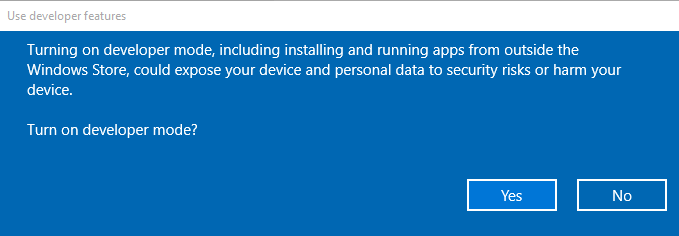
You may get this message if it is not in developer mode. In which case follow intructions on the message.

 Developermode.png

This is the folder structure of my Universal Windows project using the blank JavaScript template which I named it as DojoApp (I was planning to bring in Dojo Toolkit here but there are some problems).

DojoUW-01.png

Here is the default.html code:

--------------
Click F5 to start debugging, the developer mode window comes up again. Now click on   Settings for Developers link. The Update and Security window appears and in 'For Developers'


DojoUW_02.png

Choose the Developer mode button. The following window is displayed.

DojoUW_03.png

Click Yes.
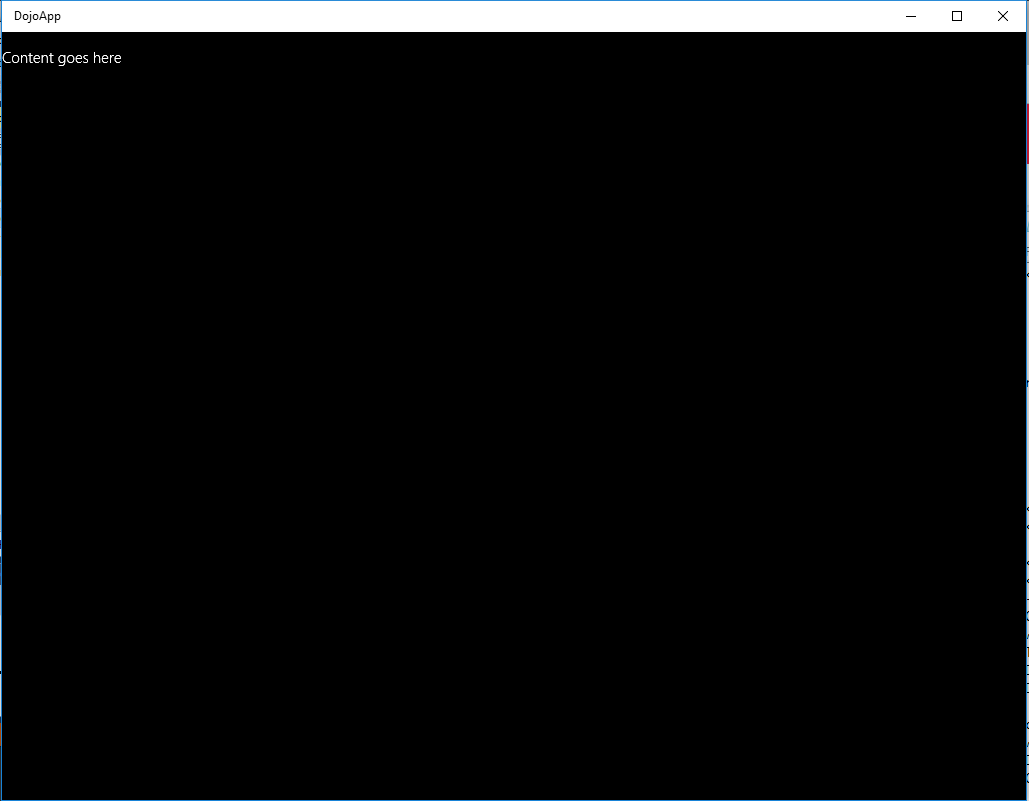
Click F5 again the DojoApp gets displayed and you will see this after the splash screen display.

DojoUW_04.png


Saturday, August 29, 2015

Hands-on Learning Event in Honolulu 2: SQL Server Reporting Services 2012, November 5

The class is forming and is expected to start on November 5, 2015. Please register at the PCATT.ORG site.


Adata/Pcatt1.png
SQL Server 2012 Express or Developer Edition / Evaluation edition will be used. The emphasis is on Native Mode operation of the Reporting Services.

For details you can also write to:
Hodentek@live.com with course name in the Subject line.

Here are Reporting Services books published by the instructor:


You can buy these and many other computer and programming related books here:

Thursday, July 23, 2015

Installing Visual Studio 2015

The first thing is of course downloading. Details of downloading here.

Make sure you remove the previous versions of Visual Studio 2015, otherwise you will get the following message. Well, only one of the noted programs was on my computer.

Removestuff.png

Remove it from Control Panel | Programs | Uninstall a program. It may a long time to unwind back depending on the Internet speed.

Now double click the downloaded program shown below.

vscommexe.png

I chose a typical and not a custom installation. Again it will take considerable time 2 to 3 hours. I actually lost count.

It finally installs without any problem. You may have to restart your computer to complete the installation.

The following programs are installed on your machine.

vscomm_2.png

This installation was on a Toshiba Laptop with Windows 8.1 Professional.

Enjoy! No need to uninstall till the next version.

Monday, July 20, 2015

Move on to Visual Studio 2015 RTM / Community

You have been using Visual Studio 2013 or non-rtm versions of Visual Studio 2015. Now Visual Studio 2015 RTM is available and the Visual Studio 2015 Community edition is free. Visual Studio Community is free for individual developers, open source projects, academic research, education, and small professional teams.

All Visual Studio 2015 items shown below can be downloaded from this link.

VS2015RTM01.png

Download button for the Visual Studio 2015 Community is here.


VS2015RTM02.png

It has everything you need for productive programming:
  • Flexibility- PC, tablet, smartphone OK
  • Designers, editors, debuggers, profilers all in one place
  • Extensive extensions makes you reach out
  • Multiple language support, C#, VB, F#, C++, Python, HTML, JavaScript and more
  • Support Windows Desktop Programs, Universal Windows Platform, iOS, and Android
  • Develop for web with ASP.NET, Node.js, Python etc with several frameworks(AngularJS, jQuery, Django, etc)


DMCA.com Protection Status