Wednesday, March 11, 2015

If you work with SQL Servers and PHP Applications get these drivers


Microsoft recently (like yesterday) released Microsoft PHP drivers for SQL Servers. Microsoft drivers 3.2,3.1, 3.0 and 2.0 for PHP makes it easy to connect to SQL Servers from PHP Applications.
Download the drivers from here:

This download has many drivers and you choose the version to match up with your PHP version.
I am having PHP 5.6 and will be using driver version 3.2

More details here:
http://hodentekmsss.blogspot.com/2015/03/latest-microsoft-php-drivers-for-sql.html

Sunday, March 08, 2015

Android apps using Visual Studio? - Part 1

Review this regarding cross-platform app development and Xamarin connection:
http://hodentek.blogspot.com/2014/07/cross-platform-app-development-part-1.html

Review regarding XAMARIN:
http://hodentek.blogspot.com/2014/01/master-c-and-become-universal-coder.html

Now in Visual Studio 2015 CTP6 you have the Android app under New Project in C#. Sorry, not available for VB. Not only you can work with Android but  also with iOS apps in Visual Studio 2015 CTP6. Review this following screen shot:


Andy01

Herein you can write Anroid apps in C# and share your code with iPhone, iPad and other .NET languages.

However, there are no built-in templates but there is a link in the previous window at the bottom which will take you to the templates (if any) on the Internet.

In your search, look for Samples and under samples C#. Filter the results for Android. You will see the following.

Andy02

If you place your cursor on the description of the app you will see there are a lot of XAMARIN related samples. Some are XAMARIN based and the others are based on Apache Cordoba Framework.

However, if you go this way you may have to deep search and you may not find a sample immediately that you could bring in and look at.

I tried with one of them and reached a point where I could not proceed as it needed many more items and allowed me to create only Windows based application.

If you start the other way, starting from scratch which creates a XAMARIN project, then you will have to buy into it (download XAMARIN, install etc.)  if you do not have Xamarin on your computer. Visual Studio seems to depend entirely on Xamarin to proceed forward.
We look at it both ways later.


Saturday, March 07, 2015

Problems you may encounter installing Visual Studio 2015 CTP6 - Part 2

In Part 1 here, http://hodentek.blogspot.com/2015/03/problems-you-may-encounter-installing.html  the problems encountered were described.

There was yet another option, to skip the files the program could find neither on the file system nor on the Internet.

The installation was continued choosing this option. The program stopped couple of times (hiccoughing) and finally the installation was completed. Although there were warning as it was suspected some functionality was lost, especially related to Windows Phone.


The following files were not found :
 
VI2015CTP6\packages\PhoneAddon\SharedCoreRes\enu\phoneaddon_sharedcoreres.msi
 
VI2015CTP6\packages\PhoneAddon\ProfessionalCore\phoneaddon_professionalcore.msi
 
In addition to the one in Part 1.
 
Here is the final installation screen and you notice that a number of files could not be found.
 
 
Here is a list of files not found prepared from the above:
 
Windows Phone SDK 8.0
Windows Phone 8.1 Tools for Visual Studio 2015 CTP
Windows Phone 8.1 Tools for Visual Studio 2015 CTP -ENU
Windows Phone 8.1 Tools for Visual Studio Professional 2013-Language Resources 
[Note that the Windows Phone SDK 8.0 can be downloaded from here:
http://www.microsoft.com/en-us/download/details.aspx?id=35471] but as to the others information is lacking]
 
As suspected in the beginning the Windows Phone 8.1 functionality is perhaps absent.
 
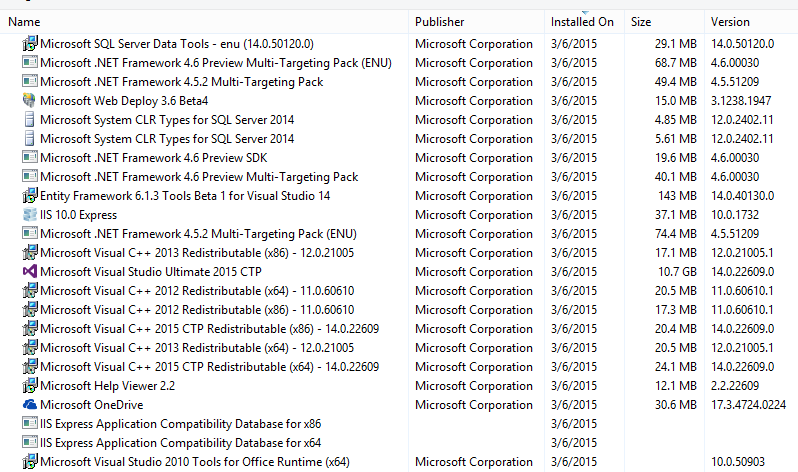
The programs installed by this installation is quite large as can be see here even without the contributions from the missing files:


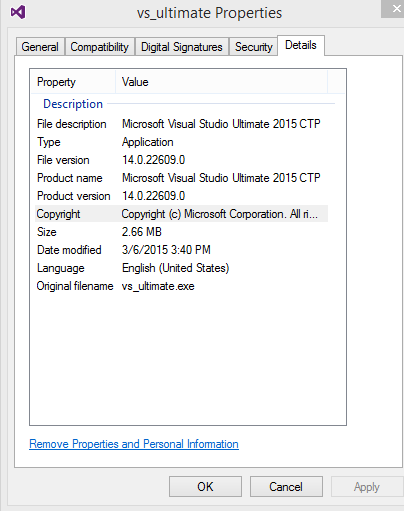
With this sorted out the application can be launched as shown. Here is the first screen where you can choose the theme.:


Some interesting posts can be found here:
http://hodentekPlus.blogspot.com


Friday, March 06, 2015

Problems you may encounter installing Visual Studio 2015 CTP6

The desire to test drive resulted in downloading this file.


Before installing the program by choosing the Typical method which installs defaults, the C: drive was checked for 9GB space. The available 120Gb was more than sufficeint. Double clicking the file in the downloaded location started the typical acquiring/applying type of starting. However when the install button was clicked in the initial screen, the desktop went blank (Windows 8.1 Professional) and screen came back asking whether the installation is to be cancelled. However after going this step couple of times, it started acquiring and applying mostly C++ related files and framework 4.6 (I beileve so).
 
During the installation the program required a file, MobileTools_WPSDKCore_net.msi which it could not find on the computer. The suggestion from the program was to get it from the Internet using the button provided for this purpose. The said button when clicked came back with a short response that the file could not be found. Yet another option was to 'skip' this file and proceed with the rest of the installation. 'Skip'ing would perhaps results in loss of funcitonality for Windows Phone apps.

Search on the Internet for MobileTools_WPSDKCore_net.msi drew a blank including Microsoft Windows phone related sites. Left a question on the forum and reported a possible 'bug'.

Here are some screen shots from this installation:


Visual Studio 2015 CTP6 is out take it to a test drive

Visual Studio 2015 Community Technology Preview (CTP6) became available on February 23, 2015.

It includes the latest innovations and improvements such as:

  • New tools to debug XAML UI
  • Control Flow Guard Security tool and
  • ASP.NET feature updates
Download Visual Studio 2015 CTP6 here .

This is a CTP and therefore it is not intended for testing and should be used for providing feedback only. This is not production worthy and should not be used to create applications or code based on this version. Of course it is free.

Here are more details on the new features in the CTP as well as the features that were introduced in CTP5. Each feature merits its own dedicated post.


This version has a bunch of stuff and if you are contemplating staying with Visual Studio as your chosen environment, it is recommended to download and test drive. Things change very fast.

 
DMCA.com Protection Status