Monday, July 30, 2018

Installing the new Insider Preivew of Windows 10 - 2

Please review the updates at the end of this post in bold.

Installed the new Insider Preview of Windows 10 today. The new version is:
Build 17713.rs5_release.18076-1551


The old version was:
Build 17692.rs_prerelease_flt.180625-1624


The new release has the same kind of enhancements as the previous:

The previous version had many problems and I hope at least some of them have been fixed.

http://hodentek.blogspot.com/2018/03/more-problems-with-windows-10-insider.htmlhttp://hodentek.blogspot.com/2018/03/more-problems-with-windows-10-insider.html


Updated 7/30/2018

Feedback Hub is empty 
Microsoft Store cannot be opened.
You click in All Programs nothing happens.
Type and search in Search Charm|Cortana nothing happens
Tried Cortana as well. She repeats the same question, again and again.
The AI features need improvement. There is no spelling error in Cortana and the best the AI can find a match is Cortland.


Once a blogger dashboard is open in Microsoft Edge Beta, it cannot be closed.


Saturday, July 28, 2018

Test drive July 18, 2018 Update to Power BI

You can download Power BI Desktop from link shown at the end , or get it from Microsoft Store (Search for Power BI in Windows Store).


Power BI is Microsoft's Business Intelligence software that allows you turn out eye-catching reports from a variety of data sources offering superb visualization. What is more? It is updated every month to bring in new functionalities; improve existing ones and offering new data connectivity options.

I downloaded from Windows store and it looks like there are two versions of Power BI. I chose the first option.


The full name of the product I installed is the following:


These are the new features of the July 2018 update:


Modeling
Composite models (preview)

Reporting
New visual header with more flexibility and formatting
Wallpaper formatting
Theming update – more visual and page control (preview)
Tooltips for table and matrix
Turn tooltips off for visuals
Slicer accessibility
Formatting pane improvements
Stepped line support for line and combo charts
Turn off combo chart data labels for individual series
Sorting experience improvement

Analytics
Distribution factor insights

Custom visuals
Power BI certified category
Disabling specific organizational visual
Visio custom visual generally available
Mapbox custom visual generally available
DataText Box custom visual
China Scatter Map custom visual

Data Connectivity
IBM DB2 DirectQuery connector (preview)
Improvements to Web By Example connector
Support for importing multiple custom tables
Automatic completions for specifying sample values
Exposure of attribute selectors in HTML.Table function
SAP HANA – Default values for variables in Variable Input experience


Download link & feature summary and  here.


Friday, July 27, 2018

Beware! C# template files may missing in Visual Studio Community 2017

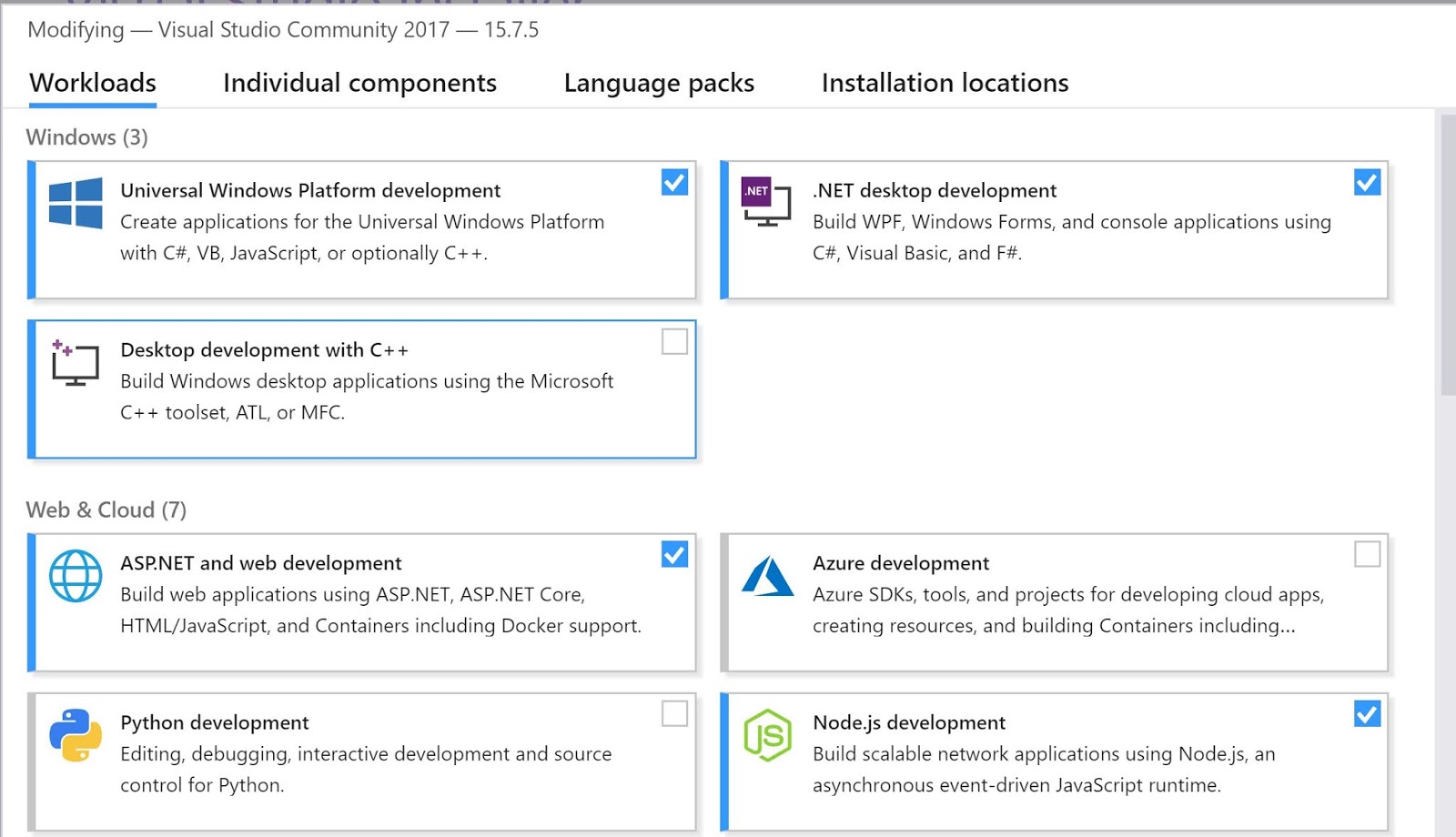
Recently installed Visual Studio Community 2017 with the following details:

Microsoft Visual Studio Community 2017 
Version 15.7.5
VisualStudio.15.Release/15.7.5+27703.2042
Microsoft .NET Framework
Version 4.7.03062 

I tried to run a previously well designed project by loading the project and failed. I noticed a number of errors such as these:

The UI elements can still be seen in the XAML view in the MainPage.xaml and the same elements in the MainPage.xaml.cs are getting to be unrecognized by red wiggly (does not exist in the current context). some fifty errors CS0103 error

Also the CS1061 error that the MainPage does not contain a definition for 'initialize Component' accepting first argument of type 'MainPage' could be found.

I could not fathom the reason and spent about 6 hours.

Then I resorted to recreate the app from scratch by creating a new C# project and noticed that the C# language related templates were missing. I am not sue if my errors are related to the missing templates!


I tried to reinstall Visual Studio from within the IDE, but I had really installed all the necessary items.


I believe the Visual Studio 15.7.5 I installed does not have the templates.

Looks like this is by design. You can choose C# as the language for the templates as described here:

3-D animation in Power Point


I have a subscription for Microsoft Office 365 products and presently I have the Version 1806 (Build 10228.20134 Click-to-run).

With this launched, I can see under the Insert | Illustrations group 3D Models. After you insert the model you can highlight it and click the Animations Menu item which brings up the  3-D animation related  'ribbon' displaying the various effects possible.

You can create your own 3D-Model using the Paint 3D program on most Windows 10 computers; or use models created by others in the Gallery which is accessible from Paint 3D.

You can then animate the models and even add regular animation as well.

Here is an example of 3D animations on Your tube:


DMCA.com Protection Status