Thursday, May 23, 2013

Microsoft is coming to town

Microsoft tackles Apple in Honolulu and everywhere else...
Microsoft realized that retail sales are going to be important and decided to face off Apple with its popular stores. The decision was to open stores as close to Apple stores as possible. This requires a lot of logistics and the number of Microsoft stores are increasing worldwide.

It's opening shop in Honolulu soon.This store is one of 44 scheduled for 2013. What's more it directly faces the existing Apple store in the Ala Moana shopping center, the upscale shopping center in Honolulu. I am not sure, right now how many stores are open, my guess is that the total may not exceed 100 and that falls short of Apple Stores by a good 200.

There is always time to catch up.


p.s: The Apple store picture was copied from the following site:

Friday, May 10, 2013

Some details of my book on SQL Server Reporting Services 2012

This book is totally hands-on, you learn by doing it all by yourselves in record time.

  • Install SQL Server 2012, SharePoint Server 2010, and configure Reporting Services both native and SharePoint Integrated on Windows 7
  • Install SSDT and author reports, both local and remote, and deploy them to report servers
  • Develop desktop and web applications by using Report Viewer controls
  • Author different kinds of reports with the latest gadgets by working with Report Builder
  • Manage access to the report server, report scheduling, report delivery, report uploads, and downloads with Report Manager
  • Create Tabular Models with SQL Server Analysis Services and deploy them to SSAS Server using SSDT
  • Author Power View Reports from your SharePoint Site and export them as Power Point files
  • Get a first hand experience with Power View Reports, get the full breadth and width of features
  •  Don't know Power Shell. OK. Learn it here and apply it to SharePoint and Report Server APIs and WMI
  • Learn to create Data Driven alerts in SharePoint and monitor them on SQL Agent on SSMS
  • Work with SQL Azure Reporting Services using Windows Azure Portal and SSMS. Start signing up for the service end up enjoying the reports
  • Write applications in SSIS and WPF to access reports and access native server reports from SharePoint Site
  •  For details follow this link here:
    http://hodentek.blogspot.com/2013/04/my-next-book-sql-server-reporting.html

    Monday, April 29, 2013

    Browsers and SQL Server Reporting Services 2012


    I am grading the browsers, guys.

    Criterion is how reporting services 2012 reports display in the browsers. I am considering both Native and SharePoint Integrated mode of operation.

    Grading is as follows:

    IE 9.0.8112.16421                                       A+

    Mozilla  (Firefox) 19.0.2                             A+

    Google Chrome  Version 26.0.1410.64 m    B

    Safari 5.1.7(7534.57.2)                                 D
    Report Manager at:  http://hodentekWin7/Reports_HI

    SharePoint site at:  http://HodentekWin7/


    Here are the screen shots:

    RS Native Mode:


     Toolbar items missing in Google Chrome : RS Native mode

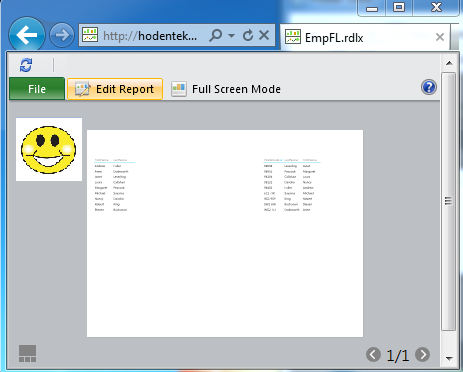
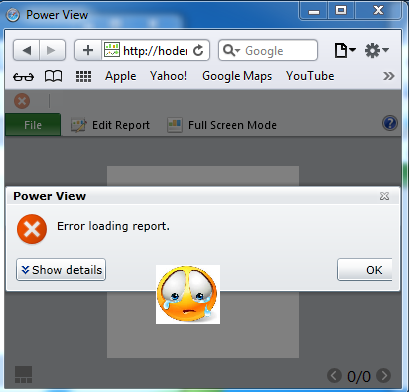
    RS SharePoint Integrated (Power View)


    My next book SQL Server Reporting Services 2012 will be published soon

    In the present day information-centric world we live in, the success of an enterprise depends enormously on how its information is generated, handled, and disseminated. With ample screenshots and over 65 hands-on exercises, this book will guide you effortlessly through creating cutting edge reports using SQL Server Reporting Services 2012, native and fully integrated with SharePoint Server 2010 including new features like Power View and Data Alerts.

    "Learning SQL Server Reporting Services 2012" will get you started right from installation and then move on to configuration of SQL Server Reporting Services 2012. Start learning right from Chapter 1 and build your skill to create reports using the latest tools and deploy them to the latest servers, both Native and SharePoint. No guessing; you will learn all—Power View, Data Alerts, SQL Azure Reporting,the latest Reporting Services Gadgets, and more.

    "Learning SQL Server Reporting Services 2012" is a definitive guide to a step-by-step, metered approach to get a jump start on the latest features in SQL Server Reporting Services.Reporting Services in Microsoft SQL Server 2012 is more tightly integrated not only with the Microsoft Business Stack but also with SharePoint, Windows Azure, and the Visual Studio suite of products, with many new features.

    You will install and configure the toolset to work with SSRS 2012 integrated with SharePoint 2010. Using SQL Server Data Tools, you will author reports and deploy. You will learn about security to work with Report Manager and Central Administration in SharePoint. Using Report Builder, you will learn about authoring cutting edge reports. You will create Tabular Models and begin experiencing the thrill of creating Power View Reports.

    Review this link for more details:
    http://www.packtpub.com/learning-sql-server-reporting-services-2012/book

    The first edition, 'Learning SQL Server Reporting Services 2008', ISBN: 9781847196187 was published in March 2009


    Thursday, February 07, 2013

    About SSDT and VS 2012


    SQL Server Data Tools is a great combo, a combo for both DBA types and developer types and every other type in between. But the installation of this tools has created some confusion from day one and it still continues.

    In Visual Studio 2012 Pro and above you don't see the BI templates for SSRS, SSIS and SSAS. There is however a Report Project (both VB and C#). This division requires you to have both SQL Server 2012 and Vs 2012 accessing SSDT (in SQL Server 2012) for BI projects and use VS2012 for all others. Follow this link for complete details:

    http://hodentekmsss.blogspot.com/2013/02/want-to-know-more-about-ssdt.html

    DMCA.com Protection Status