Showing posts with label Skype. Show all posts

Wednesday, August 03, 2016

IFTTT and the IoT - 2

IFTTT and the IoT - 2

In my previous post I wrote about IFTTT as it is a cool interface whiich you can use without too much of a sweat or equivalently without any coding.

IFTTT stands for the conditional statement "If this then that'. It is a web based service with a simple workflow. Flow of work (action, that) is created by a trigger based on a condition(this), like say,'If it rains take the umbrella'. This service was provided in some cases, such as the various financial services that you could get an email if your chosen stock price reached a new high, etc. They were called alerts and they are also used by banks and credit card companies.


As most of our actions and those of the 'Internet of Things' are condition-based, IFTTT is expected to grow and expand deep into IOT.


What IFTTT has done to simplify this process is by offering a web interface to set up triggers and take appropriate actions. Both the trigger and the actions that follow the trigger have their own channel and every IFTTT recipe is tied into these channels.

Since my first post on this (http://hodentek.blogspot.com/2015/06/ifttt-and-iot.html), I wrote a few more posts to elaborate and since it is already a year or more ago after my first post, I revisited and was quite thrilled that lot more has been added to the list of things you can do.

http://hodentek.blogspot.com/2015/07/hey-ifttt-now-has-office-365-channels.html

http://hodentek.blogspot.com/2015/06/azure-logic-apps-and-ifttt-azure-app.html

http://hodentek.blogspot.com/2015/10/one-easy-way-to-get-started-with.html

In my recent visit to IFTTT site, I see a lot more IoT and Skype related recipes.

Here is a piece from Connected Homes

IoT/IFTTT_2016_00

Amazon's Alexa is Number 1 TopChef when it comes to creating IFTTT recipes and here are few from Amazon.

IoT/IFTTT_2016_01

Microsoft's Office Integration with IFTTT was described in an earlier post. Here are few of the many recipes using Skype.

IoT/IFTTT_2016_02

You are motivated as to its utility, go visit the page. http://ifttt.com

IFTTT or (Microsoft) took notice of my rant in my previous post and added a bunch of OneDrive related recipes.


Friday, March 13, 2015

Skype on modern windows is minimalist

I tried to look back on one of my posts a year ago here
http://hodentekhelp.blogspot.com/2014/02/do-you-want-to-change-ports-that-skype.html
but could not locate the toolbar.

On my Windows 8.1 Skype (comes in as default when you upgrade to Windows 8.1) I could not see the Tools menu and a few other things. In addition to the Skype app I also downlaoded Skype for desktop (SkypeSetupFull) and now I have the tools menu with advanced settings, connecting port info etc.

Skype for TV works but you need a camera if you do not have a built-in one on your SmartTV. If you have a not so smart HDTV, you can buy a TV CAM such as the one here:

http://www.skype.com/en/download-skype/skype-for-tv/

Tuesday, February 24, 2015

Event Info 2015_3: Microsoft Ignite

May4-8, 2015
Chicago, IL
McCormick Place Convention Center


Make sure you attend this event in Chicago if you are curious about where technology is heading.
It is the technology conference of the year and do not miss it.

An earlier posting here:
http://hodentek.blogspot.com/2014/12/microsoft-ignite-2015-is-announced.html

Review the sessions list here, 365 in all:
http://ignite.microsoft.com/Sessions#fbid=xLhDyuK-AHn

One of the interesting topics is about Skype. How is it going to evolve? How is it going to work with Office 265 and Lync? Understand diffeerent topologies for Skype. For this and other interesting topics ther arre some 24 sessions.

If you are focused on Internet of Things, I am afaid there are only 3 sessions. Could they ignite you???

Bulk of the sessions, some 123 of them focus on Office 365 and SharePoint. With SharePoint Server 2016 docking in 2016 it looks like SharePoint is here to stay. There is going to be a demo of an early version according to Redmond Magazine.
http://redmondmag.com/articles/2015/02/19/sharepoint-server-2016-ignite.aspx

Watch this promo video from Microsoft:

br />


Friday, February 21, 2014

OMG! President Clinton at SharePoint Conference 2014

Thrilling to hear a President delivering Keynote address on SharePoint because I never associated Presidents with software.

SharePoint Conference 2014 will be held at Venetian Hotel and Resort in Las Vegas. Mark up your calendars, March 3 to 6.

You will hear all about SharePoint, Yammer and of course Office 365.
It's all about connecting, transforming and reimagining.

See you at Las Vegas!!!


Wednesday, July 11, 2012

E Komo Mai! Windows 8 Phone


Welcome Windows 8 Phone

Aloha, 

A billion people cannot be wrong; Windows 8 Phone is based on Windows OS.

Windows 8 Phone was officially announced today and it will be available at a kiosk near  you by the end of the year.

Windows OS is used by more than a billion people and the new Windows 8 Phone is built on this rock-solid foundation. Windows 8 Phone will have the same attractive common feature set as Windows 8 related to:
·         Networking
·         Security
·         Media and Brower technology
·         File system

Look at this gamut of features that the new phone will usher:
(The following taken from the blog: )

·         Multi-core processor support: As reviewers have noted, Windows Phone runs buttery smooth on phones with a single processor. But piggybacking on the Windows core provides support for multiple cores—so we’re ready for whatever hardware makers dream up.

·         Bigger, sharper screens: Windows Phone 8 supports two new screen resolutions—1280x768 and 1280x720, opening the door to amazing new handsets with high-definition 720p displays.

·         More flexible storage: Windows Phone 8 supports removable MicroSD cards, so you can stuff your phone with extra photos, music, and whatever else is important to you, and then easily move it all onto your PC.
             

·         NFC wireless sharing: If you haven’t heard the term “NFC” yet, I’m betting you soon will. This emerging wireless technology lets phones share things over short distances. In Windows Phone 8, it helps make sharing photos, Office docs, and contact info easier—just tap your phone another NFC-equipped device. How cool is that?

I              If you have not heard of NFC please review my previous post.  (not from blog)  

·         Internet Explorer 10: The next version of Windows Phone comes with the same web browsing engine that’s headed for Window 8 PCs and tablets. IE10 is faster and more secure, with advanced anti-phishing features like SmartScreen Filter to block dangerous websites and malware.

·         Wallet: Windows Phone 8’s new digital Wallet feature does two great things. It can keep debit and credit cards, coupons, boarding passes, and other important info right at your fingertips. And when paired with a secure SIM from your carrier, you can also pay for things with a tap of your phone at compatible checkout counters.

·         Better maps and directions: Windows Phone 8 builds in Nokia mapping as part of the platform. Our partnership will provide more detailed maps and turn-by-turn directions in many countries, plus the ability to store maps offline on your phone so you can work with maps without a data connection.

·         Cooler apps and games: Basing Windows Phone 8 on the Windows core will unleash a new wave of amazing apps and especially games, for reasons I’ll touch on in a moment.

Together with the release of Windows Phone 8 there appears to be Windows phone 7.8.

The reason for this is to assure the Windows 7 (7.5?) users that they can use the same start screen as Windows 8. It appears Windows 8 will not run on existing hardware.

What a pity, just as I was getting used to my Samsung Focus with Windows 7, Microsoft pulled the rug under my feet.:@

How many apps on Windows 8 Phone?

Well it looks like 10,000 and counting. The number is really immaterial, what matters is their usefulness.

Here is a quick scoop for developers. Sure, you get all the needed stuff:

·         Native Code Support
·         In-app purchase
·         Integrate Internet calling
·         Multitasking enhancements

Well, of course there will be an SDK as well. That should satisfy your thirst!

I suppose this will all encompass all bits and piece , Skype, PayPal, Twilio and many others. 

Read more details from the horse's mouth here.

Wednesday, May 02, 2012

You may start hearing voices from Microsoft Cloud


You may start hearing voices from Microsoft Azure. Do not send for an exorcist.

The new strategic alliance between Twilio and Microsoft make this possible by aligning Twilio's Cloud-based telephony (voice and messaging services) with Microsoft Azure Cloud.

You may recall that an earlier post was related to  Skype integrated with the IE browser. Twilio offers a similar advantage in that there is no need to download an app or plug-in.

Twilio in some ways may be similar to Skype but it appears to offer much more such as:

interactive voice response,
mobile app distribution via SMS
call automation
two-factor authentication.

Using Twilio's demo program from this site, I called up my Windows 7 phone and I got immediately connected. My browser was talking to my  phone via internet through a weak Wi-Fi connection.


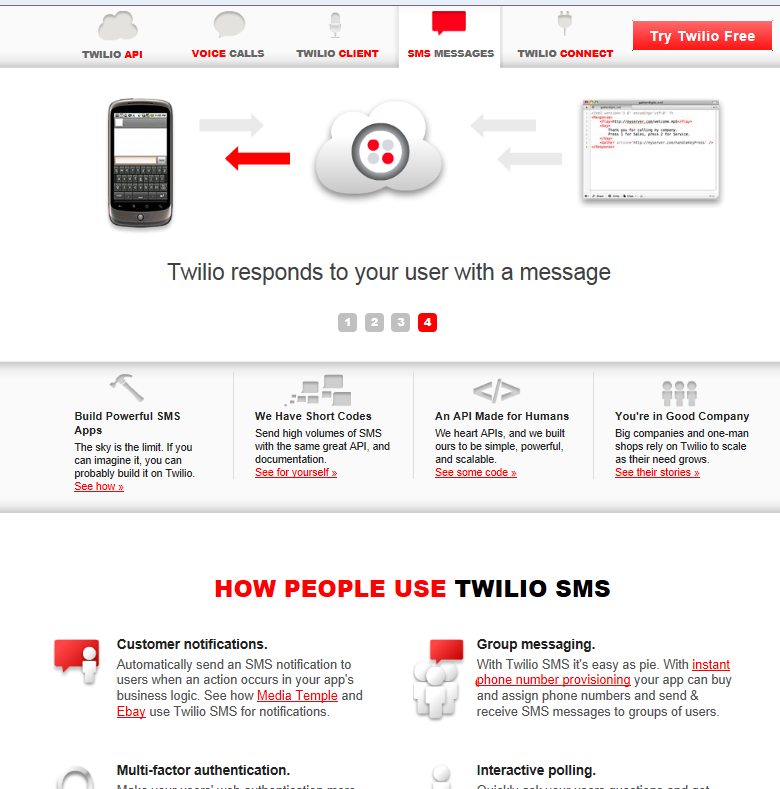
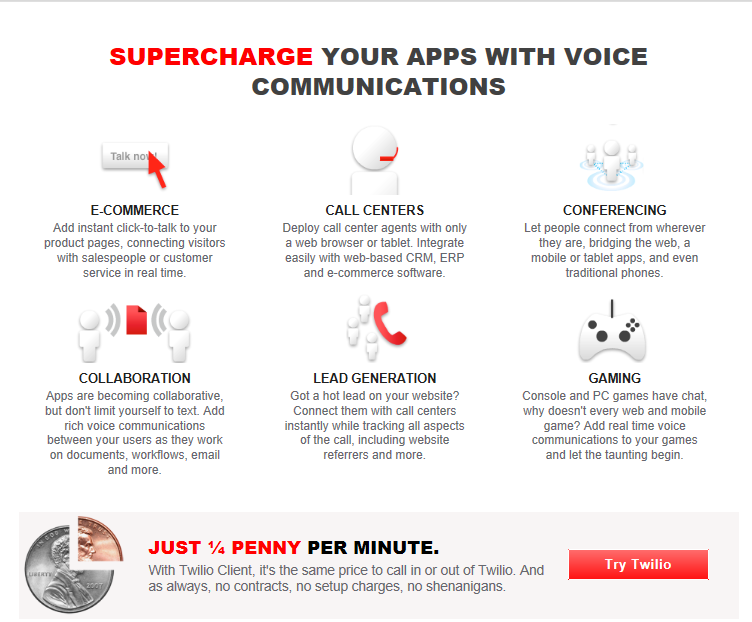
Twilio offers a number of features as shown in the following screen shots.

Quarter penny calls are great!!


+
DMCA.com Protection Status