Showing posts with label CSS3. Show all posts

Sunday, December 13, 2015

Firefox 42 better than Microsoft Edge 25.10586.0.0 when it comes to CSS3

This is if we were to look at the results from this site here (http://css3test.com/). Still Firefox undergoes lot more tests than Microsoft Edge to arrive at this conclusion. The following Specifications were tested.

The test at the above site checks which CSS3 features the browser recognizes

    Backgrounds and Borders
    Image Values and Replaced Content
    Selectors
    Media Queries
    Basic User Interface
    Transitions
    Animations
    Transforms
    Text
    Text Decoration
    Fonts
    Writing Modes
    Color
    Multi-column Layout
    Values and Units
    Regions
    Speech
    Flexible Box Layout
    Grid Layout
    Box Alignment
    Resetting All Properties
    Conditional Rules
    Masking
    Compositing and Blending
    Shapes
    Exclusions
    Filter Effects
    Pointer Events
    Fullscreen API
    Fragmentation
    Positioning
    Will Change
    CSSOM View Module
    Ruby
    Scroll Snap Points
    Logical Properties
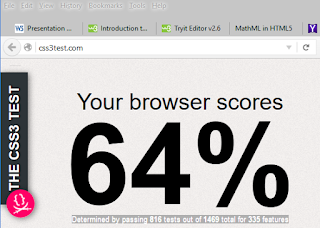

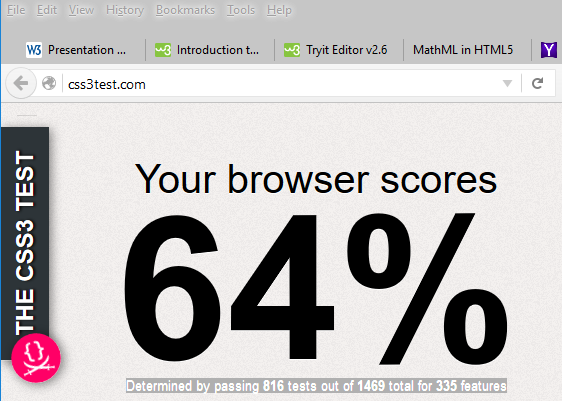
Firefox 64% -> Determined by passing 816 tests out of 1469 total for 335 features


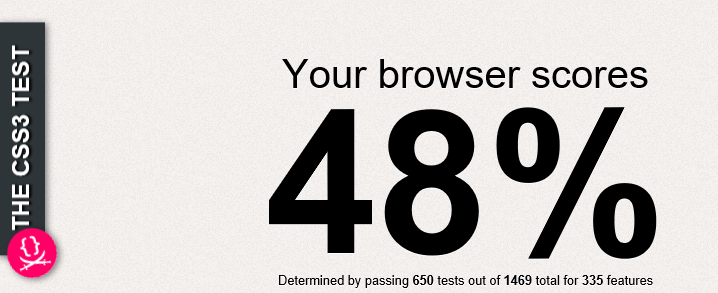
Microsoft Edge: 48% ->Determined by passing 650 tests out of 1469 total for 335 features
I did have the latest Chrome and as it presented some problems, I had to remove it. Perhaps I was testing on a Trojan infected computer.

Saturday, August 16, 2014

Jump start your Cross-Platform App Development skills with Intel's XDK

In my previous post some of the cross-platform app development tools/programs were described in a general way.  In this post I describe the Intel XDK tool which does not require skills except HTML5/CSS3/JavaScript.

From here you can jumpstart your App development skills after downloading the Intel XDK. You can write once and deploy to several platforms.


It is generally argued that while HTML5/CSS3/Javascript is a good option to create cross-platform apps it is only suitable for some simple, inexpensive apps. In order to buld more complex apps you need a single language to access the 'native apis'. Hardware specific apis are accessed
by a variety of languages like Java, .NET, Objective-C etc. There does not exist a single language to access the machine specific information for all platforms.

However, a large number of Apps fall into the 'inexpensive/simple apps' that integrate many of the social media applications and in these cases the Html5/CSS/Javascript is more than adequate. Apps based on HTML5 can also contribute to the number of apps in a store to improve the perceived lack of apps for Windows for example. Well at the end of the day quality and not quantity of apps that matters

What is Intel XDK?

Open Source PhoneGap (http://phonegap.com/) technology was instrumental in getting AppMobi (http://www.appmobi.com/) to use HTML5 for App development. Intel came along and acquired AppMobi and it was renamed XDK. Perhaps it then went rounds of revisions and tweaks to become Intel XDK. Right now in preview but will be a full fledged tool one day soon.


This video explains the Open Source PhoneGap.


BTW PhoneGap is free and you can download from the PhoneGap Site.
Here is a screen shot of Intel XDK homepage:


Intel XDK is free and can be downloaded from here,

http://xdk-software.intel.com/

for Windows 7, Windows 8, Apple OSX and Ubuntu Linux.

The installer Intel's Software Install Assistant installs xdk_web_win_master_0876 (~90MB); file version 1.0.9.38
Just double click the installer.


After extraction is completed the Welcome page is displayed.


In the Welcome Page click Next. Here you choose the destination. Default was chosen here.


Click Next to get to the installation summary page.


Click Install.
Installation begins..


Pretty soon it is completed. Very uneventful installaiton.


Click Finish and you are done.
The first time you use it you will have to login into Intel XDK.
Then provide the required information


That's it. Now you are ready to develop.
Watch future Intel XDK posts on
http://hodentek.blogspot.com and/or
http://hodentekMobile.blogspot.com


Thursday, July 17, 2014

Creating Flat Design Websites by António Pratas


Creating Flat Design Websites by António Pratas ( http://goo.gl/ZK3CWp) provides a great background for design principles of Flat Design, an approach which is both minimalist and trendy. He really makes a good case to justify the title.

The book is replete with design information and resource links that should be very useful. The preparation of the book uses Photoshop and the exercises slant towards web sites with Mac but the discussion and the ideas of flat design are quite general. The exercises are quite simple and the step-by-step guidance to creating a 1 page site should be very helpful. The codes in the book should be available on the Packt site.

The book provides examples, side by side, a traditional design and a makeover of the same using flat design principles and in most of the cases a great deal of visual clarity and greatly improved usuability has been achieved.

He describes several of the features that one should look for. For example,this is what the author says about usability:

"Most of the times, usability is
just about organization and common sense, and this is a way of working rather
than a technique to be applied. A more innovative interface will be harder to use
in the beginning, but the designer can choose to take this risk to achieve a different
experience
."

This brings to my mind the arguments for and againt Desktop and Metro feature differences. Metro is a different experience and if you are used to desktop as in Windows 7 for example, you feel a little intimidated, but it is a different experience.

The author provides this link to how Wikipedia had its makeover going in for flat design. This summarizes what can be achieved with a flat design to get a great looking web page.
http://blog.weare1910.com/post/75576312730/a-readable-wikipedia

This book is about web design and the author does not discuss how the design responds to the different device sizes, a topic the author would no doubt consider for his next book.

In Windows 8.1 Update Microsoft creates a number of templates which are great starting points for creating basically flat design but where you have the opprtunity to tweak to add your signature.
http://msdn.microsoft.com/library/windows/apps/hh781237.aspx

While looking at flat design you may also want to watch this video:

http://www9.buyerpricer.com/Video.aspx?videoid=skn8pMfbWqY&slk=flat+ui+web+design&cid=3323989914&kwid=20466517441&uq=flat+design+web+sites&nid=2&iscid=2000005&term=flat+ui+web+design&vx=0

I whole heartedly recommend this book if you are contemplating building your own web site.

I was requested by PACKT to write a review and I have received a eBook.
DMCA.com Protection Status