Wednesday, March 16, 2011

Improved Publishing in LightSwitch Beta 2

Publishing LightSwitch application in Beta 1 had presented some challenges in some cases. Review the following posts:
http://social.msdn.microsoft.com/Forums/en-US/lightswitchgeneral/thread/fd8c1dfa-668b-4417-a16f-492163f65721
http://social.msdn.microsoft.com/Forums/en-US/lightswitchgeneral/thread/bffa8ffa-a24e-448e-8f6e-bf5ce19bc1ac
http://social.msdn.microsoft.com/Forums/en-US/lightswitchgeneral/thread/5b8eb0ba-f883-486d-8b57-202f5d8921a1
http://social.msdn.microsoft.com/Forums/en-US/devdocs/thread/5de8743a-8b82-4ba0-992a-9f538c7f5574
This time around I hope the problem has been resolved. I am not sure if this was due to installing VS2010 SP1 but the problem remained even after removing the SP1.
As promised, publishing to WIndows Azure now seems to be possible. Addionally users can leverage SQL Azure for parking their data used in LightSwitch applications thus getting all the needed stuff in one place. Jump start on your SQL Azure skills (Read my book: http://hodentek.blogspot.com/2011/01/do-you-want-free-copies-of-my-latest.html )
In Beta 1 you needed to add a Windows User while designing the application for those applications you chose Windows Authentication. Now the application can take in any of the Windows Users without the need to including them explicitly while designing the application. However, User authorization (authorization to use resources) are controlled from within the applicaiton.
Now you have clients and Application server.
Two languages to develop your application:
Visual Basic
C#
Two authentication schemes:
Windows
Forms
(Unauthenticated can also be deployed).
For clients you have two options:
Desktop (~ Intranet)
Web        (~ Internet)
Application Server
1. On end user machine
2. Hosted on a IIS Server
3. Hosted on Windows Azure
This post is based on the MSDN article at:
http://msdn.microsoft.com/en-us/lightswitch/gg699332
Certain of the comments in this post are my own.
Please note that if you have invested time developing with Beta 1 they are not compatible with Beta2. Perhaps you need to redo.
Review this post:
http://social.msdn.microsoft.com/Forums/en-US/lightswitchgeneral/thread/6e7a9dbd-60cc-4aa1-9574-9e5ad5498a54

Tuesday, March 15, 2011

Much anticipated LightSwitch Beta 2 was released today

The Beta 2 of Microsoft LightSwitch a RAD developer tool was released today for full story read here:
Two significant features:
In this Beta one could publish a LightSwitch application to the Windows Azure Platform (promised in Beta1)
 
Extensibility to go beyond what is availbale out-of -the box (You need Visual Studio Professional at a minmum)
The audience:
Business analysts and power users (no novices) who are tired of using Excel, Access etc
The Wizard is the king in this program and he does all the heavy lifting and you don't even notice a thing.
Well in Beta 1 the Wizard had his problems and hope we have a more robust wizard.
These following are available for MSDN Subscribers and I will have to sweat it out till the lowly ones like myself can download.

Monday, February 07, 2011

Microsoft Lightswitch upgrade?

Looks like there is something new going to be announced for Microsoft LightSwitch


W4 Visual Studio LightSwitch – Beyond the Basics

Probably this is where you will hear about the next beta if not the final version.
That will be sometime in APRIL.

Thursday, February 03, 2011

Your Microsoft LightSwitch program may not work without this upgrade

If you have been developing with Microsoft Visual Studio 2010 (Microsoft LightSwitch) or Visual Studio 2010 Express you may need this upgrade without which your programs before upgrade may not load like mine did (see the message below). This upgrade installs updated Silverlight 4 Tools and brings with it a bunch of improvements noted here copied over from the source (review link).


Download the file below from the above link. Make sure you read all the enhancements you will be getting on that link.

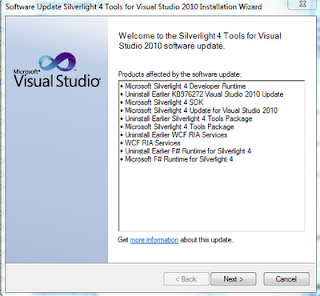


 Run the executable with a few easy steps but takes considerable time as it unwinds some and wires up some new items shown here.


Now you can go back and open your projects created before the upgrade without any problem.

There was MySQL on AWS and now Oracle 11G

The thirst to launch services to the cloud appears to be unquenchable. AWS is now adding Oracle 11G. It has an interesting licensing option, the BYOL (not BYOB), short for bring your own license and of course Oracle will provide support for this(not for BYOB).

For details read this eWeek article on line at:
AWS to Launch Oracle Version of Amazon Relational Database Service
DMCA.com Protection Status
